PullSRC
Extracting a whole page's assets in seconds, without opening DevTools once.
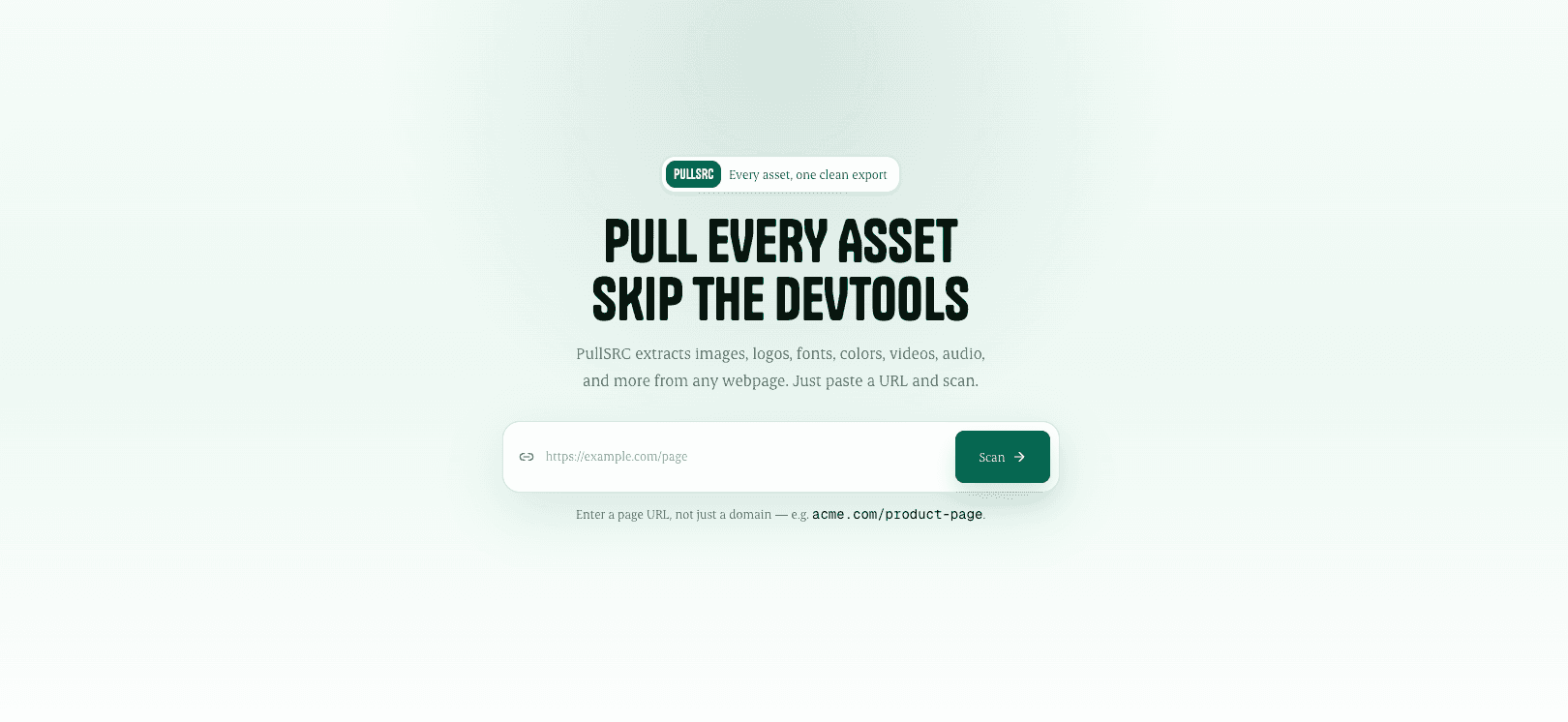
PullSRC is a web tool that pulls every asset out of a single webpage - images, logos, fonts, colors, video, audio, and 3D models - and returns them as an organized kit with a credit sheet recording where each one came from.
Tech Stack
Next.js 16React 19TypeScriptTailwind CSS 4Base UIPlaywrightCheerioChrome Extension (MV3)JSZipServer-Sent Eventsmodel-viewerVercel
PullSRC is a web tool that pulls every asset out of a single webpage - images, logos, fonts, colors, video, audio, and 3D models - and returns them as an organized kit with a credit sheet recording where each one came from.
The Process
This started as a small annoyance I kept running into. I'd be on some page and want something from it. A font, a color, an icon, sometimes a video. There was never an easy way to just take it. The file was already on my screen, my browser had downloaded it to show me the page, but saving it meant opening DevTools, scrolling through a list of network requests, guessing which one was the file I wanted, copying the link, and saving it. Then doing that again for the next file.
None of that is hard. It's just slow, and boring, and you can't really explain it to someone who isn't a developer. That's the part that bothered me most. Designers are the people who need this the most and they're the least likely to want to open DevTools at all.
I wanted one simple thing to work. You paste a link, you get everything on that page. No signup, no install, nothing to learn.
To make that actually useful I had to get four things right. It needed to find everything, not just the obvious files, or people would go back to doing it manually. It needed to sort what it found, because two hundred files with random names isn't much better than nothing. It had to be quick enough that nobody thought it had crashed. And it had to tell you where each file came from, since you shouldn't be using someone else's work without knowing whose it is.
The first version just read the page's code and pulled out anything that looked like a file. It worked fine on simple sites and completely fell apart on real ones. Pages today barely keep their images in their code. Scripts load them after the page appears, backgrounds sit inside stylesheets, and videos get fetched by a player that doesn't even exist until the page has finished loading. So reading the code gave me a logo, a favicon, and not much else.
What fixed it was to stop reading the page and actually open it. PullSRC now runs a real browser on the server. It loads the page the same way yours does and watches every file that page requests. If the browser downloaded it, PullSRC has it. That was the change that made it work on sites people actually use.
But opening a page for real takes a few seconds, and a loading spinner that long makes people assume something broke. So results don't wait for the scan to finish. Each category shows up as soon as it's ready. Images first, then fonts, then colors, then video, filling in while the scan is still going. You're looking at something within a second or two.
After that it was mostly details, which is where a project either feels finished or doesn't. Everything gets grouped by type with its file size, so you're picking instead of digging. Videos are the messy one, since sites split them into hundreds of small chunks instead of one file, so PullSRC puts them back together and shows you the quality options. If a video is copy protected it says so instead of just failing quietly. You can download one file or select a bunch and get a ZIP. 3D models can be rotated in the browser before you decide. And every download comes with a credit sheet listing the site, the page, the original link and the date, because "wait, where did I get this from" is a question that always shows up weeks later.
One thing I had to be careful with: a tool that opens any link a stranger gives it can be tricked into reaching private systems it has no business touching. So links get checked first and anything pointing somewhere internal gets rejected before the browser starts.
The website visits every page as a stranger. Logged out, no access to anything. So if a page is behind a login, it just can't see it. Your dashboards, articles you pay for, files someone shared with you privately, all invisible. I spent a while trying to work around this before accepting that it isn't really a code problem. The site isn't you, so it can't see what you see.
The only honest fix was to run it inside your own browser, where you're already logged in. That's the Chrome extension. It opens a panel next to whatever tab you're on and scans that page directly. Since it runs on your machine it can reach anything you can, and nothing it finds goes anywhere. There's no server involved. It's submitted to the Chrome Web Store and waiting on review right now.
PullSRC is live at pullsrc.byavi.in. Free, no account, nothing to install. Paste a link and you get that page's images, logos, fonts, colors, video, audio and 3D models, sorted, downloadable individually or as a ZIP, with credits attached. The extension covers the rest once it's approved.
None of that is hard. It's just slow, and boring, and you can't really explain it to someone who isn't a developer. That's the part that bothered me most. Designers are the people who need this the most and they're the least likely to want to open DevTools at all.
I wanted one simple thing to work. You paste a link, you get everything on that page. No signup, no install, nothing to learn.
To make that actually useful I had to get four things right. It needed to find everything, not just the obvious files, or people would go back to doing it manually. It needed to sort what it found, because two hundred files with random names isn't much better than nothing. It had to be quick enough that nobody thought it had crashed. And it had to tell you where each file came from, since you shouldn't be using someone else's work without knowing whose it is.
The first version just read the page's code and pulled out anything that looked like a file. It worked fine on simple sites and completely fell apart on real ones. Pages today barely keep their images in their code. Scripts load them after the page appears, backgrounds sit inside stylesheets, and videos get fetched by a player that doesn't even exist until the page has finished loading. So reading the code gave me a logo, a favicon, and not much else.
What fixed it was to stop reading the page and actually open it. PullSRC now runs a real browser on the server. It loads the page the same way yours does and watches every file that page requests. If the browser downloaded it, PullSRC has it. That was the change that made it work on sites people actually use.
But opening a page for real takes a few seconds, and a loading spinner that long makes people assume something broke. So results don't wait for the scan to finish. Each category shows up as soon as it's ready. Images first, then fonts, then colors, then video, filling in while the scan is still going. You're looking at something within a second or two.
After that it was mostly details, which is where a project either feels finished or doesn't. Everything gets grouped by type with its file size, so you're picking instead of digging. Videos are the messy one, since sites split them into hundreds of small chunks instead of one file, so PullSRC puts them back together and shows you the quality options. If a video is copy protected it says so instead of just failing quietly. You can download one file or select a bunch and get a ZIP. 3D models can be rotated in the browser before you decide. And every download comes with a credit sheet listing the site, the page, the original link and the date, because "wait, where did I get this from" is a question that always shows up weeks later.
One thing I had to be careful with: a tool that opens any link a stranger gives it can be tricked into reaching private systems it has no business touching. So links get checked first and anything pointing somewhere internal gets rejected before the browser starts.
The website visits every page as a stranger. Logged out, no access to anything. So if a page is behind a login, it just can't see it. Your dashboards, articles you pay for, files someone shared with you privately, all invisible. I spent a while trying to work around this before accepting that it isn't really a code problem. The site isn't you, so it can't see what you see.
The only honest fix was to run it inside your own browser, where you're already logged in. That's the Chrome extension. It opens a panel next to whatever tab you're on and scans that page directly. Since it runs on your machine it can reach anything you can, and nothing it finds goes anywhere. There's no server involved. It's submitted to the Chrome Web Store and waiting on review right now.
PullSRC is live at pullsrc.byavi.in. Free, no account, nothing to install. Paste a link and you get that page's images, logos, fonts, colors, video, audio and 3D models, sorted, downloadable individually or as a ZIP, with credits attached. The extension covers the rest once it's approved.